


jamilanjum
August 21, 2025
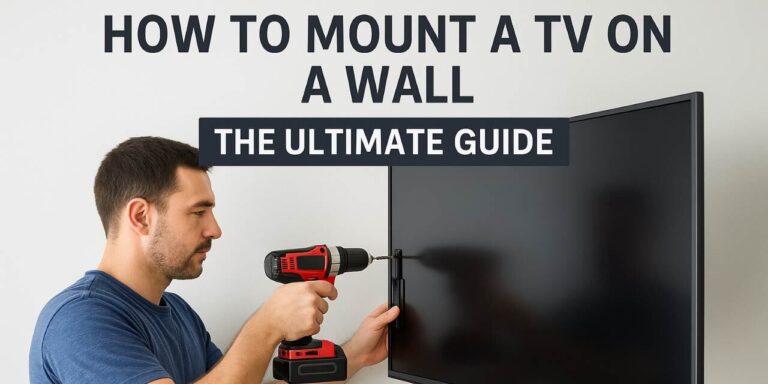
Today, almost every home has a flat-screen TV. But leaving it on a stand can take up space and may not look stylish. That’s why many people choose to mount their TV on the wall. If you’ve ever wondered how to mount a TV, this guide will walk you through the process step by step.
We’ll cover everything: the tools you need, how to pick the right wall, safety tips, and how to get that clean, modern look. Whether it’s your first time or you’ve tried before, this ultimate guide will make the job simple and safe.
Looking for expert help?
At Profixer, we provide complete home maintenance services in Dubai, including TV wall mounting, so you can relax while we handle the work.
Why Mounting a TV is a Smart Choice
Better Viewing Experience
When you mount your TV, you can place it at the perfect height for comfortable viewing. No more straining your neck or dealing with glare from lights and windows.
Saves Space
Mounting your TV on the wall is a smart way to save space in your home. Without a bulky TV stand taking up room, your living area feels more open and less crowded. The extra space can be used for décor, storage, or simply to create a cleaner and more organized look. This makes your room both functional and stylish at the same time.
Safer for Kids and Pets
Mounting your TV on the wall is a safer choice for families with children and pets. A TV placed on a stand can easily tip over if it gets bumped, pulled, or climbed on, which can lead to accidents. By securing the TV to the wall, you reduce the risk of injuries and make your home a safer place. This simple step provides peace of mind knowing your loved ones are protected.
Modern and Stylish Look
Mounting your TV on the wall instantly gives your room a modern and stylish appearance. It creates a clean, uncluttered setup that blends seamlessly with any décor. With the wires neatly hidden, the focus stays on the screen rather than the mess around it. This simple upgrade can make your living space look more elegant and well designed.
Things to Consider Before Mounting your Tv on a Wall
Before you mount your TV on the wall, check if the wall is strong enough to hold it. Make sure you choose the right wall mount that fits your TV size and weight. Think about the height and angle so you can watch comfortably. Keep space for cables and power outlets nearby. Also, check for wires or pipes inside the wall before drilling. This way, your TV will be safe and easy to enjoy.
Tools and Materials You’ll Need
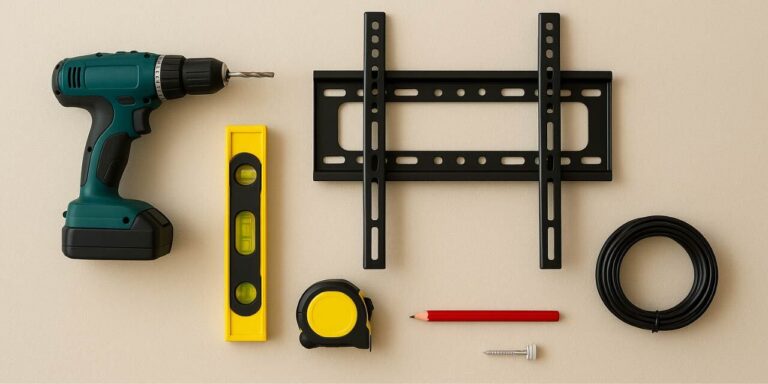
Before you start learning how to mount a TV, gather the right tools. Having everything ready makes the process smooth.
- TV wall mount kit (compatible with your TV size and weight)
- Drill with bits
- Stud finder
- Level
- Screwdriver
- Tape measure
- Pencil
- Mounting screws and bolts (usually included in the kit)
- Cable management system (optional but recommended
Step 1: How to Choose the Right Wall to Mount a TV
Finding Studs
When mounting a TV, finding the studs in your wall is one of the most important steps. Studs are the strong wooden or metal frames behind the drywall that provide the support needed to hold your TV securely. Using a stud finder makes it easy to locate them and mark the right spots. By attaching your mount to studs, you ensure the TV stays stable and safe on the wall.
Avoid Weak Walls
When mounting a TV, it’s important to avoid weak walls that cannot support heavy weight. Drywall alone is not strong enough to hold a TV, and mounting directly on it can cause damage or even make the TV fall. For a safe installation, always anchor the mount into wooden or metal studs hidden behind the wall. If your wall doesn’t have studs in the right spot, you may need extra support such as a mounting plate or professional help to ensure stability.
Not sure if your wall is safe? Our handyman services in Dubai can inspect and mount your TV securely.
Pick the Perfect Spot
Choosing the perfect spot for your TV is just as important as securing it properly. The screen should be at eye level when you are seated, so you can watch comfortably without straining your neck. It’s also best to avoid areas with direct sunlight or glare from windows, as these can affect your viewing experience. Taking a little time to plan the location ensures both comfort and a better look for your room.
Step 2: Pick the Right TV Mount
There are different types of mounts. Choosing the right one depends on how you want to watch your TV.
Fixed Mount
A fixed mount holds your TV flat against the wall, giving a clean and simple look. It’s sturdy and affordable, ideal if you always watch from one angle. Best used when the TV is already at eye level. This option also saves space and keeps your setup neat.
Tilting Mount
A tilting mount lets you angle your TV up or down for a better viewing experience. It’s perfect if your TV is placed higher on the wall, like above a fireplace. This mount reduces glare from lights or windows, making it easier to watch comfortably. It also keeps the TV close to the wall while offering flexibility.
Full-Motion Mount
A full-motion mount gives you the most flexibility, allowing you to tilt, swivel, and pull the TV away from the wall. It’s great for corner setups or rooms with multiple seating areas. This mount makes it easy to adjust your screen for the best angle anytime. It also adds convenience by giving access to the back of the TV for cables.
Step 3: Mark and Drill
Once you’ve chosen the right wall and mount, it’s time to mark and drill. Hold the mounting bracket against the wall and use a pencil to mark the spots where the screws will go into the studs. Double-check with a level to ensure your TV won’t end up crooked. Next, carefully drill pilot holes into the marked spots this makes it easier to insert the screws and prevents damage to the wall. Take your time during this step, as accurate marking and drilling are key to a secure and straight installation.
Step 4: Attach the Wall Bracket
Now that the holes are drilled, it’s time to attach the wall bracket. Line up the bracket with the pilot holes and secure it firmly using heavy duty screws or bolts. Make sure the screws go directly into the studs, as this is what ensures the bracket can safely hold your TV’s weight. Use a level once more to double check that the bracket is perfectly straight before tightening everything. This step is crucial because the wall bracket is the foundation of your entire setup, keeping your TV stable and secure.
Step 5: Attach the Mounting Plate to the TV
- Lay your TV face down on a soft surface like a blanket.
- Find the screw holes on the back.
- Attach the mounting plate with the screws that came with the kit.
- Make sure everything is tight and secure.
Step 6: Hang the TV on the Wall
Now comes the exciting part
- With the help of another person, lift the TV carefully.
- Align the TV plate with the wall bracket.
- Slide or lock it into place depending on your mount design.
Never try to hang a TV alone it’s safer and easier with two people.
Step 7: Hide the Wires (Optional but Recommended)
Messy wires can ruin the clean look of a mounted TV. Here are ways to hide them:
Cable raceways
Cable raceways are plastic covers that neatly hide and protect your TV wires along the wall. They keep your setup organized and prevent messy, dangling cords. Easy to install and paintable to match your wall color, they blend seamlessly with your décor. This simple solution makes your mounted TV area look clean and professional..
In-wall cable kit
An in-wall cable kit lets you run TV wires directly inside the wall, creating a seamless and clutter-free look. It hides all the cords completely, leaving only your TV visible for a sleek finish. This option works best if you want a professional, modern style in your living room. It’s also safer, as cables are tucked away and protected from kids or pets.
Cord clips
Cord clips are small holders that keep your TV cables neatly in place along the wall or furniture. They prevent wires from tangling and make your setup look tidy and organized. Easy to install and remove, cord clips are a simple, low-cost solution for cable management. They also reduce tripping hazards by keeping cords out of the way.
Step 8: Test and Adjust
After mounting your TV, it’s important to test and make final adjustments. Sit in your usual viewing spot and check if the height feels comfortable and the screen is level. If your mount allows, tilt or swivel the TV slightly to reduce glare and improve the angle. Take a few minutes to walk around the room to see how it looks from different positions. Making small adjustments now ensures you get the best viewing experience without needing to remount later.
Common Mistakes to Avoid
When mounting a TV, several common mistakes can lead to problems. One of the biggest errors is mounting directly on drywall without using studs, which can cause the TV to fall. Many people also skip using a level, resulting in a crooked setup that looks unprofessional. Using the wrong screws or bolts is another mistake, as not all hardware is suitable for every TV or wall type. Another issue is placing the TV too high or too low, which can make viewing uncomfortable. Lastly, trying to lift the TV alone and neglecting cable management can create safety risks and leave your space looking messy.
Safety Tips
Safety should always come first when mounting a TV. Make sure the wall mount you choose can handle the weight of your TV, and always secure it into studs rather than just drywall. Double-check each step carefully instead of rushing, as even small mistakes can cause damage or accidents. When lifting the TV, have another person help you to avoid dropping or injuring yourself. Lastly, keep cables organized and out of the way to prevent tripping hazards and ensure a clean, safe setup.
How to Mount a TV: Quick Checklist
- Choose a strong wall with studs
- Pick the right mount type
- Mark and drill holes
- Attach the wall bracket securely
- Attach mounting plate to TV
- Hang TV with help
- Hide wires
- Adjust for comfort
Conclusion
Mounting a TV on the wall is one of the best ways to save space, improve your viewing experience, and give your room a modern look. With the right tools and careful planning, the process is simple and safe to do yourself. Just remember to follow each step patiently, avoid common mistakes, and always keep safety in mind. If you’re unsure or want a flawless finish, calling a professional is the smartest choice. In Dubai, Profixer offers expert TV wall mounting and complete home maintenance services, so you can enjoy your entertainment space without the stress.
If you’re not confident, there’s no shame in calling a professional installer. But if you follow this step-by-step guide, you’ll enjoy a safe and successful TV mounting project.
FAQ Question
Frequently Asked Questions
You’ll need a TV wall mount kit, drill, stud finder, level, screwdriver, tape measure, and mounting screws or bolts. Having the right tools ensures a safe and smooth installation.
It’s not recommended to mount directly on drywall, as it cannot hold the weight of most TVs. You should always secure the mount to studs for safety. If studs aren’t available, you may need a special mounting plate or professional handyman support.
The best height is usually eye level when you are seated. For most setups, this means the center of the TV should be about 42–48 inches from the floor, depending on your seating height.
It’s always safer to have two people. TVs are heavy and awkward to lift, so having help reduces the risk of dropping or damaging the screen.
If you’re comfortable using tools and following instructions, you can mount it yourself. However, if your walls are tricky or you want a flawless finish, hiring experts like Profixer Handyman Services is a smart choice.